Online college courses, workplace training and professional certification programs often have one thing in common: They rely on an LMS to deliver, manage and track learning in one centralized location.
So, what does LMS stand for? An LMS, or learning management system, is a platform that gives learners easy access to courses while helping instructors, trainers and administrators communicate, assess performance and track learner progress.
Schools, businesses, nonprofit organizations and government agencies use learning management systems to support a wide range of learning goals. As online learning and blended learning continue to grow, LMS platforms have become an important tool for delivering flexible learning experiences.
How Learning Management Systems Work
A learning management system brings every part of the learning experience together in one place. Instead of relying on separate tools for course content, communication and administration, organizations can manage learning through a single platform.
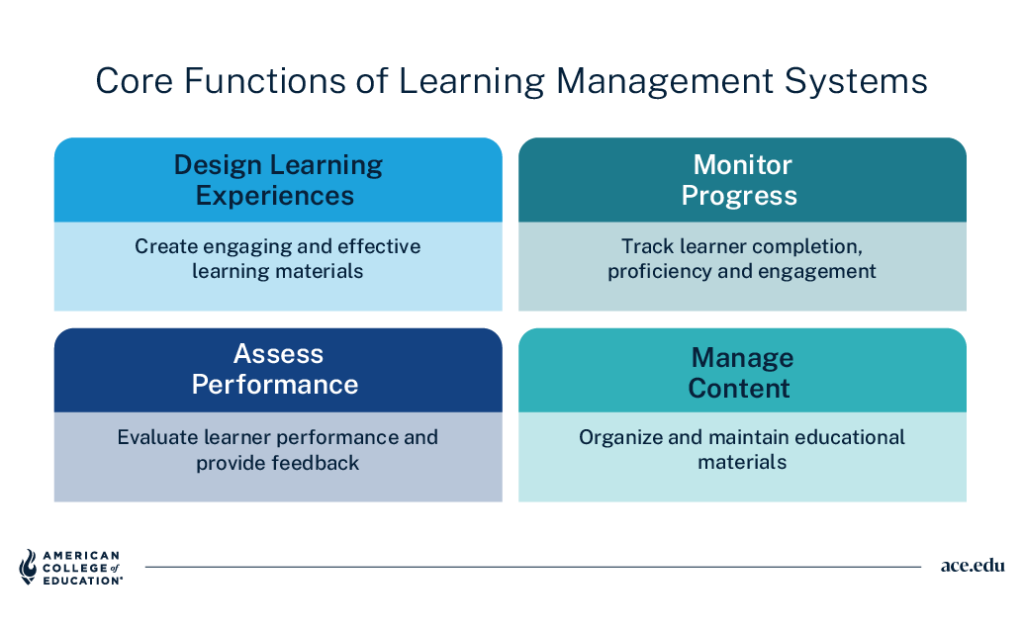
Instructors and administrators use an LMS to upload learning materials, create courses, enroll learners and organize content. Learners can view course items whenever they need them, without searching through emails or multiple platforms.
As learners move through a course, an LMS tracks progress by monitoring activities such as assignment submissions, quiz scores, course completion and participation. Built-in communication tools, including discussion boards, announcements and messaging, let learners and instructors ask questions, share ideas and troubleshoot problems.
What Is LMS Software?
LMS software is the technology that powers a learning management system, supporting every stage of the learning process from enrollment through completion.
Most LMS software today is cloud-based, meaning organizations can launch courses and roll out updates without installing or maintaining anything on their own servers, though some choose self-hosted systems for greater control. Many platforms also integrate with the systems organizations already rely on, such as video conferencing, HR software and student information systems, so learning data stays connected to the rest of the organization.
Who Uses LMS Software?
Organizations across many industries use LMS software to deliver and manage learning, including:
- Schools, colleges and universities delivering online, in-person and hybrid courses
- Businesses providing employee onboarding, professional development and compliance training
- Nonprofit organizations educating staff, volunteers and community members
- Government agencies supporting workforce training and certification programs
Key Features of a Learning Management System
Creating courses, supporting learners and managing learning programs become easier with the right set of features.
Course Creation Tools
Instructors can build structured courses using videos, readings, presentations, assignments and other learning materials, while content management tools keep resources organized and easy to update. Content can be arranged into modules or learning pathways that guide learners through each stage of the online learning experience.
Assessment and Evaluation
Quizzes, tests and assignments help instructors evaluate learner performance throughout a course. Using a variety of assessment methods gives learners regular opportunities to measure their progress and receive feedback.
Reporting and Analytics
Knowing how learners are progressing helps organizations make better decisions about their education and training programs. Automated reporting, enrollment management and completion tracking reduce manual work, while dashboards surface engagement trends and assessment results so learning gaps emerge early and progress stays measurable.
Mobile Accessibility
Many LMS platforms are designed for smartphones and tablets, allowing learners to access coursework on the go. Mobile access helps learners stay on top of their courses wherever their schedules take them.
Learning Management System Examples
Learning management systems are designed for a variety of learning environments and organizational needs. The right LMS depends on who will use it and the goals it needs to support.
Academic Learning Management Systems
Academic platforms such as Canvas, the LMS used at American College of Education (ACE), help K–12 schools and higher education institutions deliver online courses and manage classroom instruction. They also support blended learning by giving students access to course materials, assignments and collaborative activities outside the classroom, so students can prepare before class, continue learning between sessions and stay connected with instructors and classmates throughout the course.
Corporate Learning Management Systems
Keeping employee training consistent is challenging across multiple teams or locations. Corporate LMS platforms bring onboarding, compliance training, leadership development and other learning and development programs into one place, where organizations can manage certification requirements, build role-specific learning pathways and keep training consistent across the workforce.
Open Source LMS Platforms
Some organizations prefer an open source LMS because it offers greater flexibility and control. Built on publicly available source code, these platforms can be customized to support specific needs, though they typically require more technical expertise to implement and maintain.
Industry-Specific LMS Solutions
Other organizations need an LMS solution designed for their industry, such as:
- Healthcare organizations that manage continuing education and regulatory training
- Professional associations that deliver certification programs and track credentials
- Workforce development organizations that provide job training, skills development and career advancement opportunities
Benefits of Using a Learning Management System
Learning platforms have become essential learning tools for education and professional development, benefiting both learners and organizations by making learning more organized, accessible and easier to manage.
Centralized Learning Resources
When learning materials all live in one place, learners can spend less time hunting and more time studying. Course readings, videos, assignments, assessments and other resources are organized within the LMS, giving learners a central location to access course content.
For instructors and administrators, updating content in one place helps ensure learners always have access to the most current materials.
Improved Learning Flexibility
One of the biggest advantages of using an LMS is flexibility. Learners can access coursework on schedules that fit their personal and professional commitments, whether they’re participating in online learning, blended learning or workplace training. Many platforms also support self-paced learning, allowing learners to move through coursework on a timeline that works for them while staying on track with course requirements.
Enhancing Learner Engagement
Keeping learners engaged is easier when courses include opportunities to interact with the content and one another. Quizzes, multimedia content, discussion forums and collaborative activities encourage participation, while progress indicators, achievement badges and other gamification tools recognize milestones and help learners stay motivated as they work toward their learning goals.
Better Tracking and Accountability
Accountability is easier to maintain when learner progress is visible. The insights an LMS provides help organizations identify learners who may need additional support, document outcomes across education and training programs and demonstrate results to stakeholders.
Scalability for Growing Programs
As learning programs grow, managing them manually becomes more challenging. An LMS streamlines course delivery and administration across departments, locations or entire organizations, so teams can add new courses, enroll more learners and expand programs without overhauling existing processes.
How to Choose an LMS
Choosing an LMS starts with understanding your organization’s goals, users and long-term needs.
Identify Learning Goals
Whether the focus is employee onboarding, higher education, certification programs, or continuing professional development, defining those priorities early helps narrow the options and identify a platform that fits.
Evaluate Features and Functionality
Look for tools that support course creation, assessments, reporting and analytics, communication, mobile access, and integration with existing systems. It’s also important to choose a platform that can scale as learning programs and learner populations grow.
Consider User Experience
A platform should be easy for both learners and administrators to use. Learners should be able to find course items, submit assignments and review instructor feedback with minimal effort, while administrators should be able to manage courses efficiently.
Accessibility is equally important. Choose an LMS with features that support diverse learning needs and make the platform easier for everyone to use.
Review Support and Security
Consider the level of technical support available, along with the platform’s approach to data privacy, system security and ongoing updates that protect learner information and keep the system running reliably.
Learning Management Systems at ACE
At American College of Education (ACE), the learning management system is where students engage with their courses from the first day of class through graduation. By keeping coursework, communication and academic resources in one place, Canvas helps students stay organized throughout their programs.
ACE offers fully online programs, with select programs requiring local student teaching, internships or practicum experiences.
What Is Canvas?
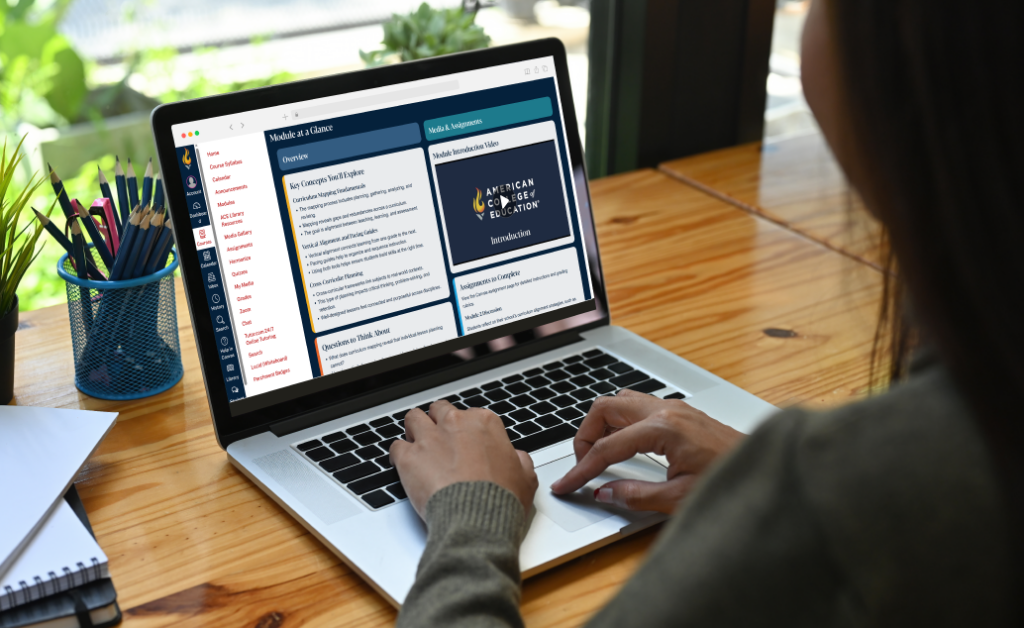
ACE uses Canvas, a widely used learning management system in higher education. Canvas serves as the central hub for each course, giving students one place to access learning materials, assignments, discussions, announcements and other academic resources.
Canvas is designed to be easy to navigate on any device, so students can stay connected to their coursework wherever they choose to study.
How ACE Students Use Canvas
From the first course to the last, Canvas keeps ACE students organized and connected. Students use the platform to access course materials, submit assignments, participate in discussions, communicate with instructors and classmates, and track grades and academic progress throughout their programs.
Curious about what Canvas actually looks like, and how our students use it? We offer a virtual open house that includes a walkthrough of our LMS.
Supporting Flexible Online Learning
Because ACE programs are fully online, Canvas isn’t a supplement to campus instruction; it’s where the online learning happens. Students log in from home, during a work break or while traveling, and the Canvas mobile app makes it easy to post a discussion reply or check a grade in the gaps of a busy day. That flexibility helps ACE’s adult learners balance their education with career, family and other personal commitments.
FAQs
Can a learning management system be used for certification programs?
Yes. Learning management systems are commonly used to deliver certification and professional development programs. They help organizations provide materials, administer assessments, track learner progress and completion requirements, and issue certificates when participants successfully complete the program.
How long does it typically take to implement an LMS?
Implementation timelines vary based on the size of the organization, the complexity of the platform and the amount of existing course content. Smaller implementations may take a few weeks, while larger or more customized deployments can take several months.
How do learning management systems support accessibility for diverse learning needs?
Many learning management systems include features such as screen reader compatibility, keyboard navigation, captioned multimedia content and support for accessible document formats. Some also offer built-in accessibility checkers that flag issues, such as missing alt-text or low-contrast colors, before the content is published, helping course creators meet accessibility standards from the start.
What challenges do organizations face when adopting a new LMS?
Common challenges include migrating existing content, training users and encouraging adoption across the organization. Planning ahead and providing clear training and ongoing support can help make the transition smoother.
Can small organizations benefit from using a learning management system?
Yes. Many LMS platforms offer tiered pricing, and some options are free or low-cost to start, which makes them practical for small businesses, nonprofit organizations and community groups. Starting with a plan that matches current needs allows a small organization to organize training and track progress now, then expand as its programs grow.
As a fully online college, American College of Education offers online courses designed by experts in educational technology, creating digital learning experiences that effectively equip working professionals with the skills they need to advance their careers. Explore our programs to find one that fits your career goals.